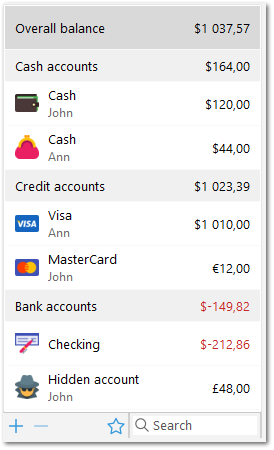
The second step is account creation. An account in this program reflects an actual bank account or other places where money is kept: wallet, credit card, PayPal, etc.
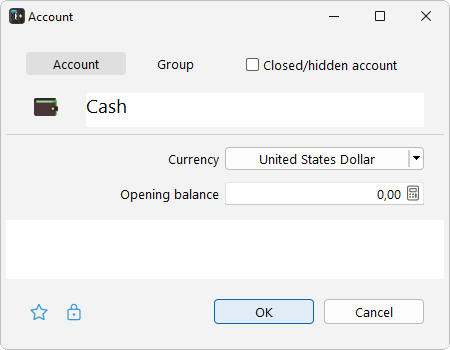
To create a new account, click "+". In the window that opens enter the name of the account (for example, "Cash"), select the symbol and account currency, and enter the opening balance – that is, the current remaining balance on the account (or amount in your wallet). Click "OK" to create the account.
Add the rest of your accounts to the program the same way. After all the required accounts have been created, go on to create categories.
Helpful hints
Accounts may be grouped, which is very convenient if you have a large number of accounts. Simply drag one account into another to make a group. Drag one account between two others to change the order.
Accounts that are rarely used may be hidden. Hiding accounts avoids clutter, and if needed they can quickly be restored.
 Русский
 Español
 Português
 Italiano
 Deutsch
 Français
 English